AWS Cost Optimization - CloudWatch Log Classes
Reducing Lambda and other log ingestion costs with Infrequent Access
4 min read time
#aws #cloudwatch
CloudWatch Logs for serverless Lambda functions and other workloads can represent a significant portion of your AWS bill, particularly for applications with high log volumes. By default, Lambda creates log groups using the Standard log class, but if your logs are primarily used for occasional debugging or auditing, the Infrequent Access log class can reduce your ingestion costs by up to 50%.
Understanding Log Classes
CloudWatch offers two log classes:
- Standard: Full feature set with higher ingestion costs
- Infrequent Access: 50% lower ingestion fees with some feature limitations
For many applications, logs are rarely accessed in real-time and are typically only needed when investigating issues or performing audits. This makes them ideal candidates for the Infrequent Access log class.
Implications of Infrequent Access
Before making the switch, there are two main implications to consider:
1. Advanced CloudWatch Features
Some advanced CloudWatch features are not compatible with Infrequent Access log groups:
- Anomaly Detection
- Data Protection policies
If you are currently using these features, or have plans to implement Data Protection policies in the near future, this change may not be suitable for those specific log groups.
However, not all log groups handle personally identifiable information (PII) and may not require Data Protection policies. These log groups remain good candidates for Infrequent Access.
2. Log Browsing Experience
With Infrequent Access, the log browsing experience changes:
- No live tail functionality
- All log browsing is done via CloudWatch Log Insights queries
This means you cannot watch logs stream in real-time as you might during active development or debugging sessions. Instead, you query the logs after the fact using Log Insights, which is often a more effective approach for investigation anyway.
The delay is roughly 10-15 seconds, which is acceptable for most debugging and auditing scenarios and the savings from the Infrequent log class usually far outweigh the small costs of log insights queries when debugging provided you use time filters.
If you just want to see what this looks like.
By default when clicking into a log stream in the AWS Console it will say that there are not results due to the infrequent log class. You will need to go to Log Insights to view them.
Here is a screenshot of where to find it:

You will then be presented with the Log Insights query view, with a pre-filled query to get you started:
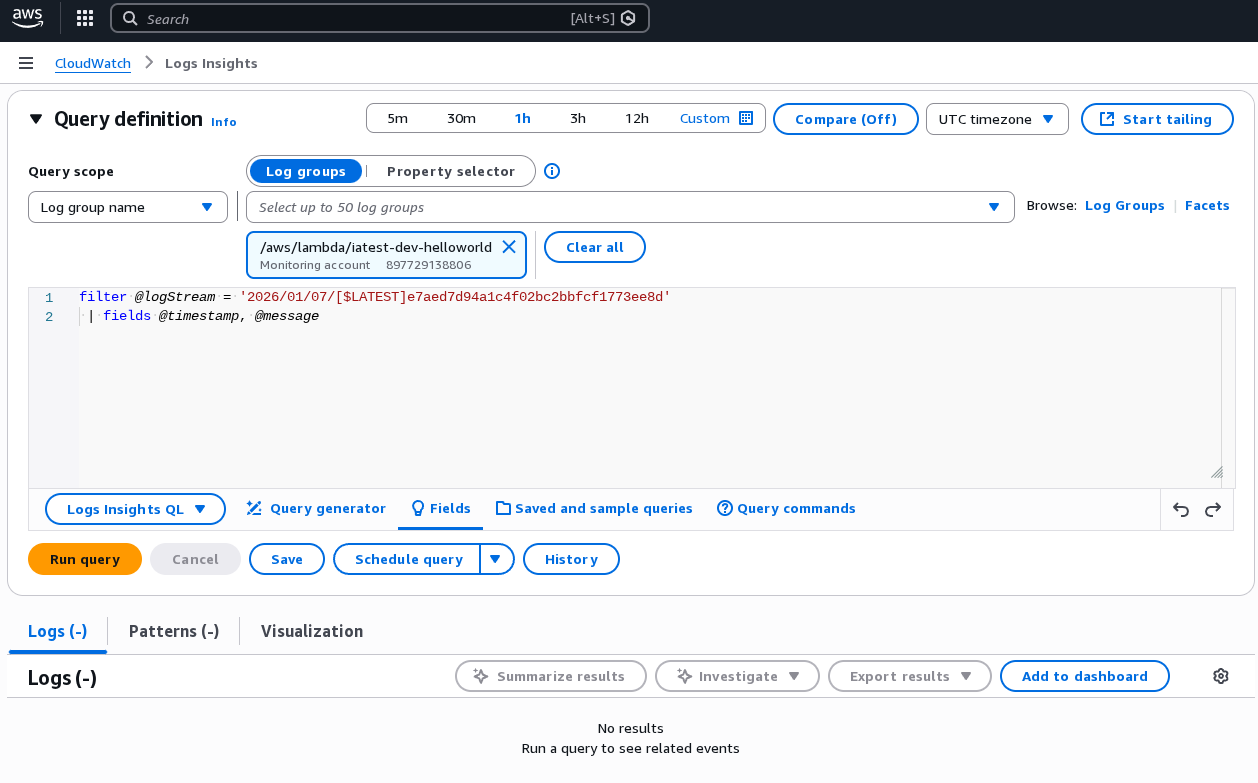
And here is what happens after clicking "Run Query":
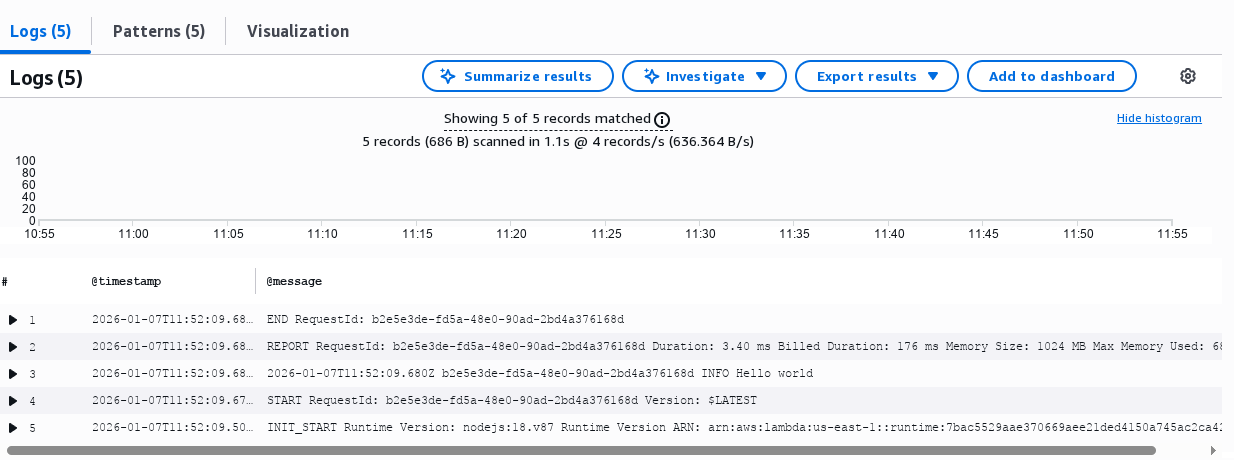
As you can see, its basically the same experience as browsing Standard log groups, apart from having to run the query.
Not that Log Insights queries do incur a small cost based on data scanned, so its important to use filters to limit the amount of data scanned.
Implementation Steps
An existing log group cannot have its log class changed in place. Instead, a new log group must be created with the desired log class.
A common approach is to have an infrequent access log suffix (e.g., -ia) so
that if you need to switch back to Standard for any reason, you can do so
without losing access to historical logs.
When creating new log groups, simply specify the log class as Infrequent Access.
Implementation with Serverless Framework
The Serverless Framework does not natively support setting log classes.
However, this can be achieved using a plugin that automates the creation of new log groups with the Infrequent Access log class for all Lambda functions in your stack.
When to Implement
If Data Protection policies are on your roadmap for the next 6-12 months, you may want to evaluate this change more carefully on a per-log-group basis.
However, if Data Protection is not imminent, this change is straightforward to implement and can save a few thousand dollars depending on your log volume.
Even if some log groups will eventually need Data Protection, others that do not handle PII data can still benefit from this optimisation.
Conclusion
Switching Lambda log groups to the Infrequent Access log class is a straightforward way to reduce CloudWatch ingestion costs by 50% for logs that are not frequently accessed.
The main trade-offs are the loss of live tail functionality and incompatibility with certain advanced features. For many serverless applications where logs are primarily used for debugging and auditing purposes, these trade-offs are acceptable.
If you need assistance evaluating whether this change is right for your workloads, please reach out to us.
Join our newsletter for Cost Optimization tips and tricks
By subscribing you agree to our Privacy Policy and provide consent to receive updates from our company.